Once you log into your BotBuilders account, you’ll be taken to the training dashboard. This is where you can access all your courses, programs, and resources in one place.
The Courses Library
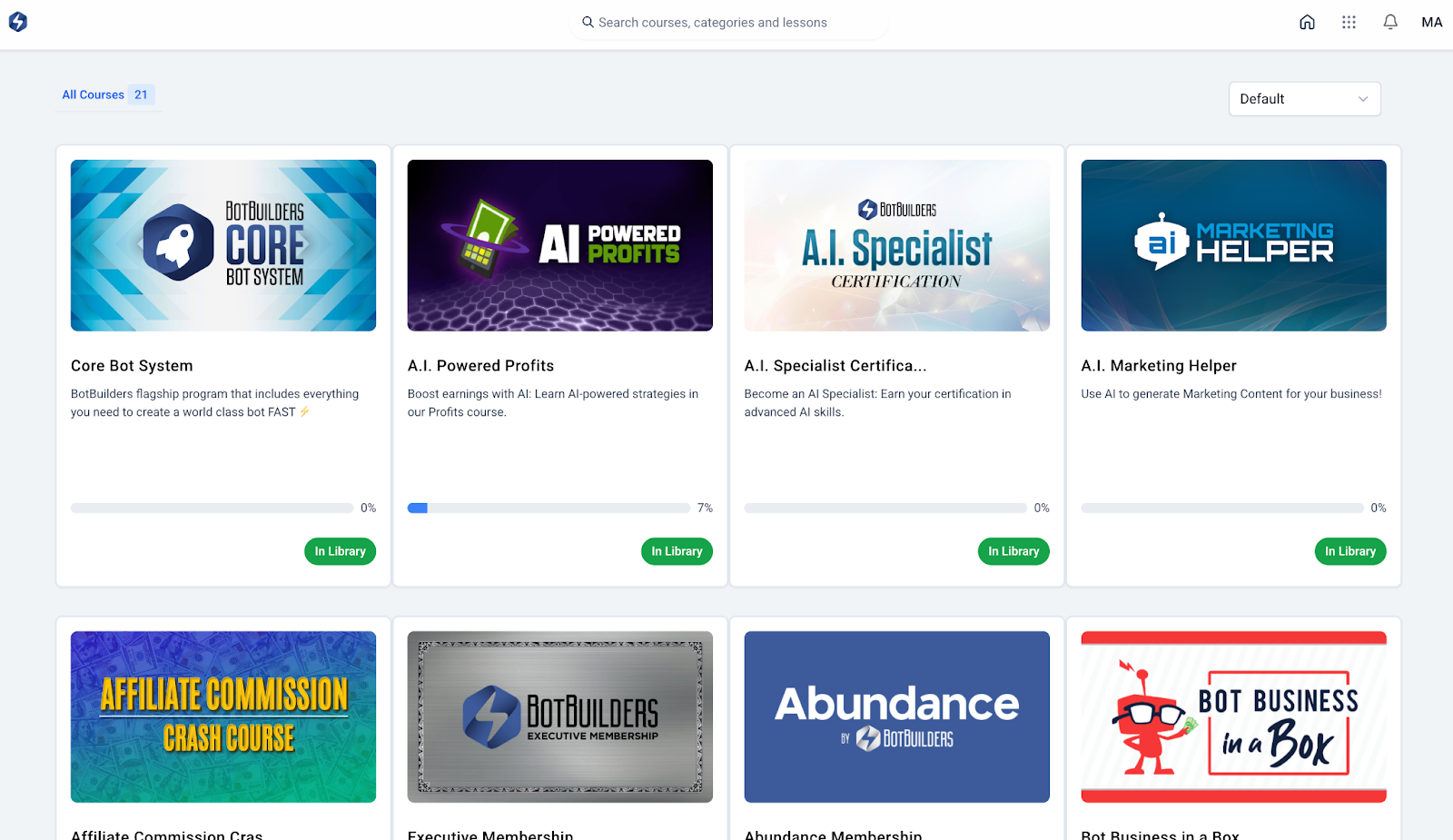
On your dashboard, you’ll see a grid of all the programs included in your account, such as:
Core Bot System (your flagship training and templates)
AI Powered Profits
AI Specialist Certification
Executive Membership
And many more!
Each course tile will show your progress bar and a button that says “In Library”. Simply click on the course you’d like to begin or continue.
? Tip: You can use the search bar at the top to quickly find a specific course by name or keyword.

Inside a Course
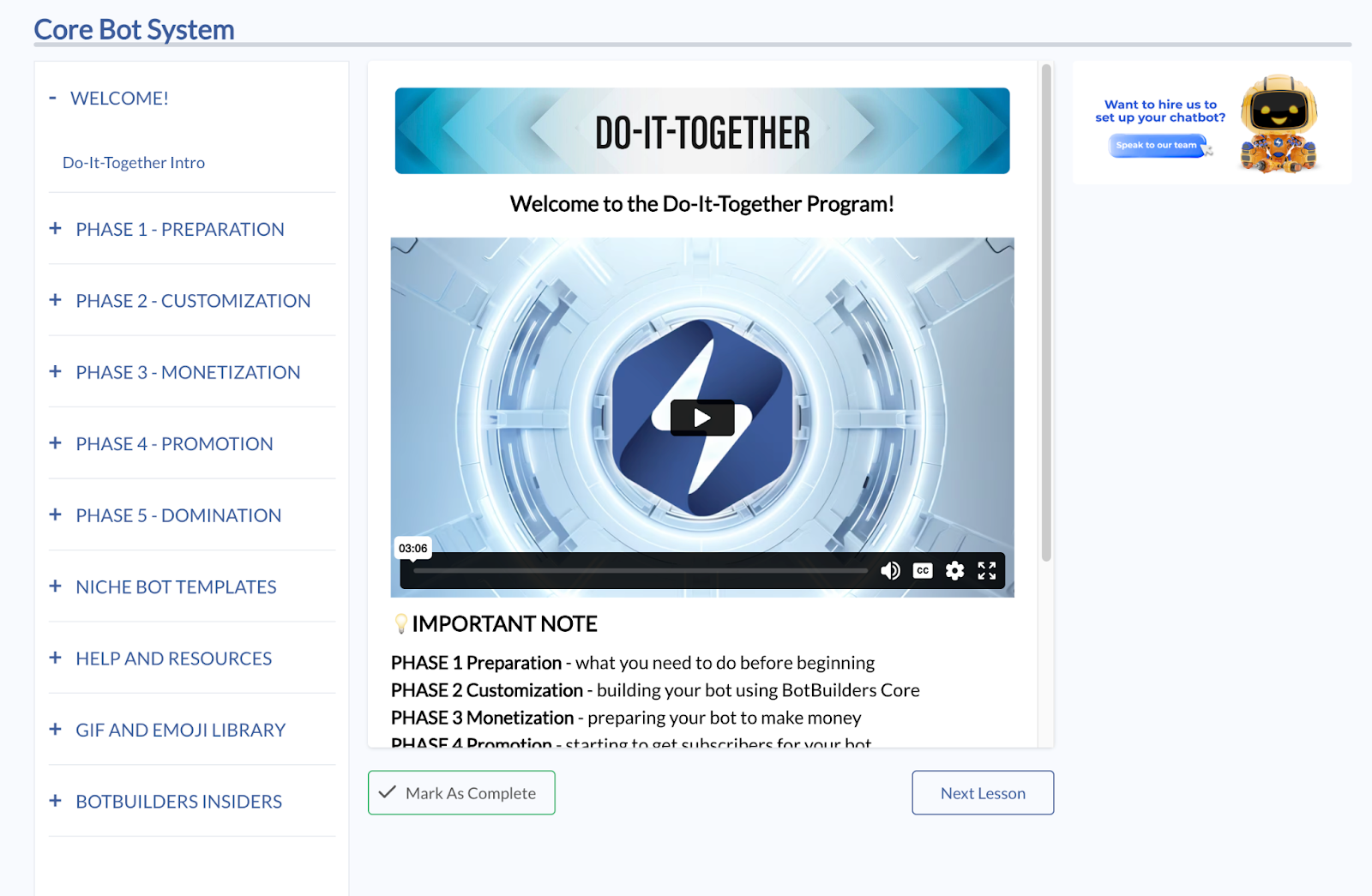
When you click into a course (for example, the Core Bot System):
The left-hand menu lists all phases, lessons, and resources.
The main video panel shows your current lesson.
At the bottom of each lesson, you’ll see navigation buttons:
“Next Lesson” – moves you forward step by step.
“Mark As Complete” – helps you track your progress.
Course Structure Example: Core Bot System
The Core Bot System is divided into phases, so you can build your chatbot in order:
Preparation – get everything ready before building.
Customization – personalize your bot using BotBuilders Core.
Monetization – set up ways for your bot to make money.
Promotion – start getting subscribers.
Domination – ongoing management and scaling.
Each phase has multiple lessons, and we recommend completing them in sequence without skipping ahead.
Help & Resources
On the left-hand menu, you’ll also find:
Help and Resources – guides and extra support.
GIF and Emoji Library – creative assets to make your bot more engaging.
BotBuilders Insiders – bonus trainings and insider content.
Your dashboard is the central hub for all BotBuilders training. Start by selecting a course from your library, follow the lessons in order, and use the “Next Lesson” and “Mark As Complete” buttons to track your progress.
Was this article helpful?
That’s Great!
Thank you for your feedback
Sorry! We couldn't be helpful
Thank you for your feedback
Feedback sent
We appreciate your effort and will try to fix the article