What are BotBuilders Core and AI Templates?
The BotBuilders Core template is the foundational chatbot we’ve designed to work for any industry. It comes preloaded with essential flows, menus, automation rules, and interactive features so you can launch a fully functional bot quickly without building from scratch.
The AI template is an upgraded layer built on top of the Core. It’s integrated with OpenAI, giving your bot access to smarter default replies, more natural conversation handling, and enhanced automation logic to create a more engaging experience for your audience.
That said, using the AI features is completely optional, you can still use the Core flows on their own without activating the AI if you prefer.
Both templates are designed to integrate seamlessly, Core provides the structure, and AI supercharges it with intelligent automation.
Downloading BotBuilders Core
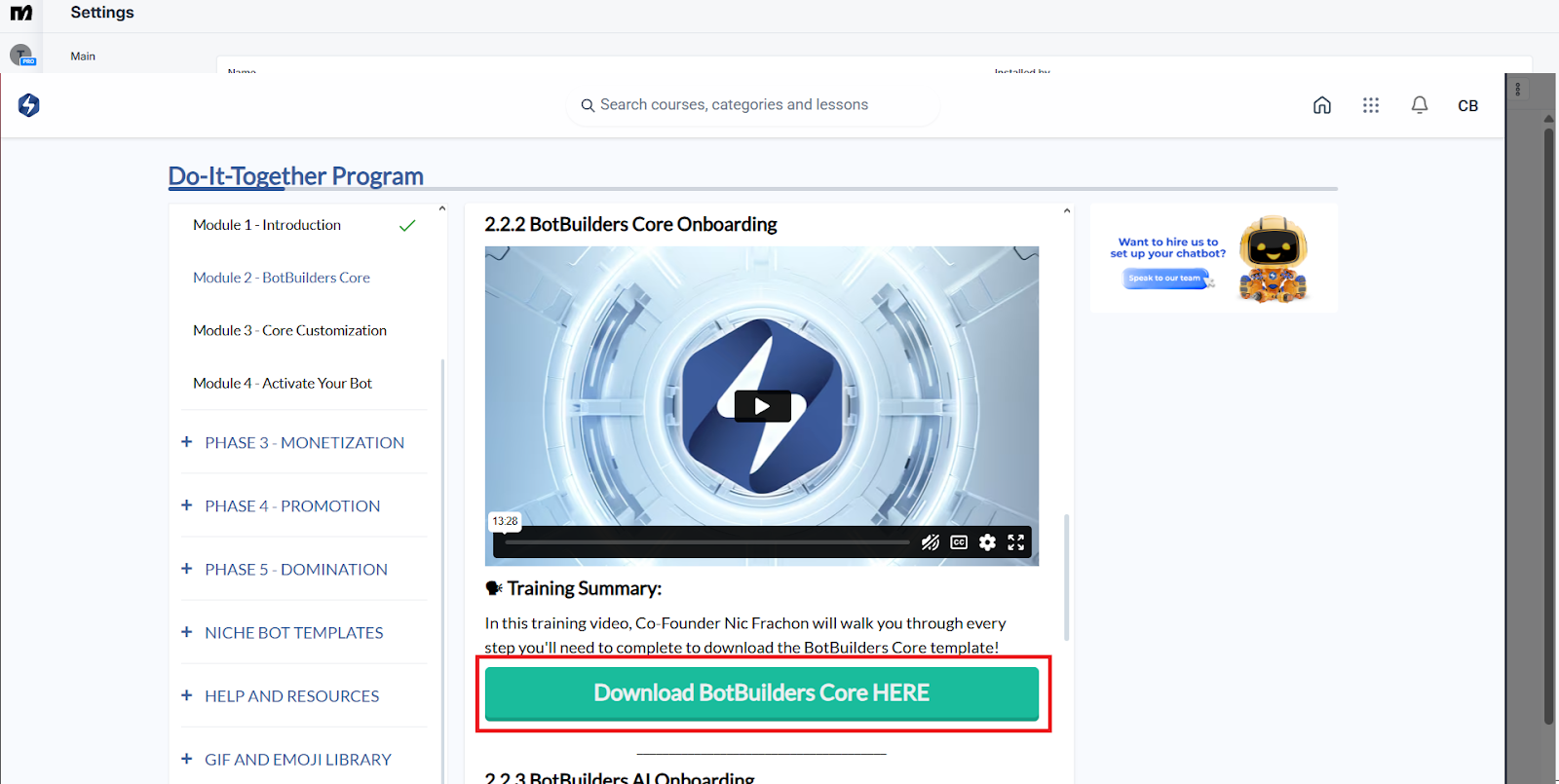
The installation for BotBuilders Core will be provided after you press the “Download” button in Module 2 of your BotBuilders training portal.
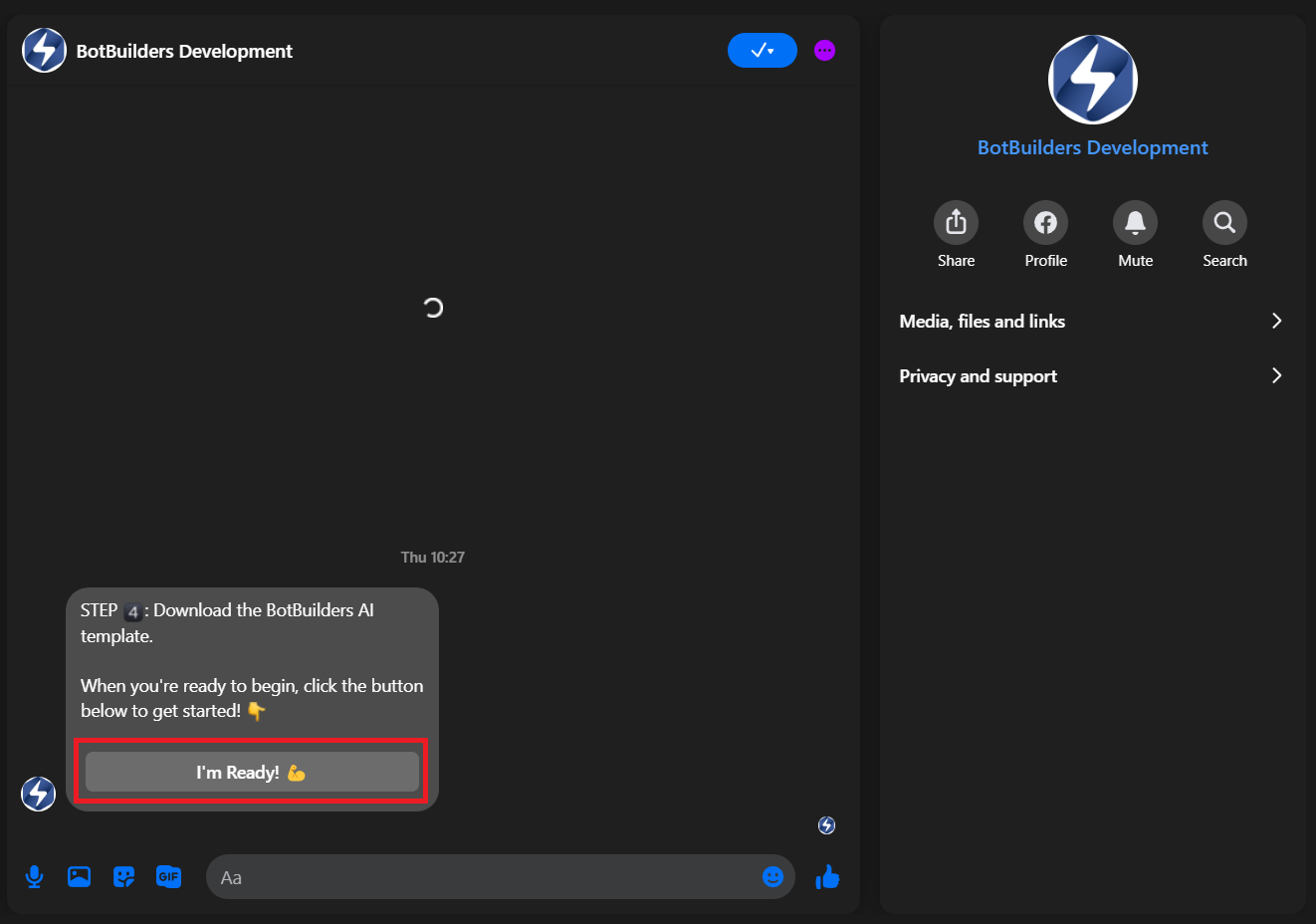
Once you press Download, the BB Development Messenger Bot will automatically message you inside Facebook Messenger. It will guide you step-by-step through the installation process. Simply follow its instructions, press the “I’m Ready” box when prompted, and the Core download will begin.
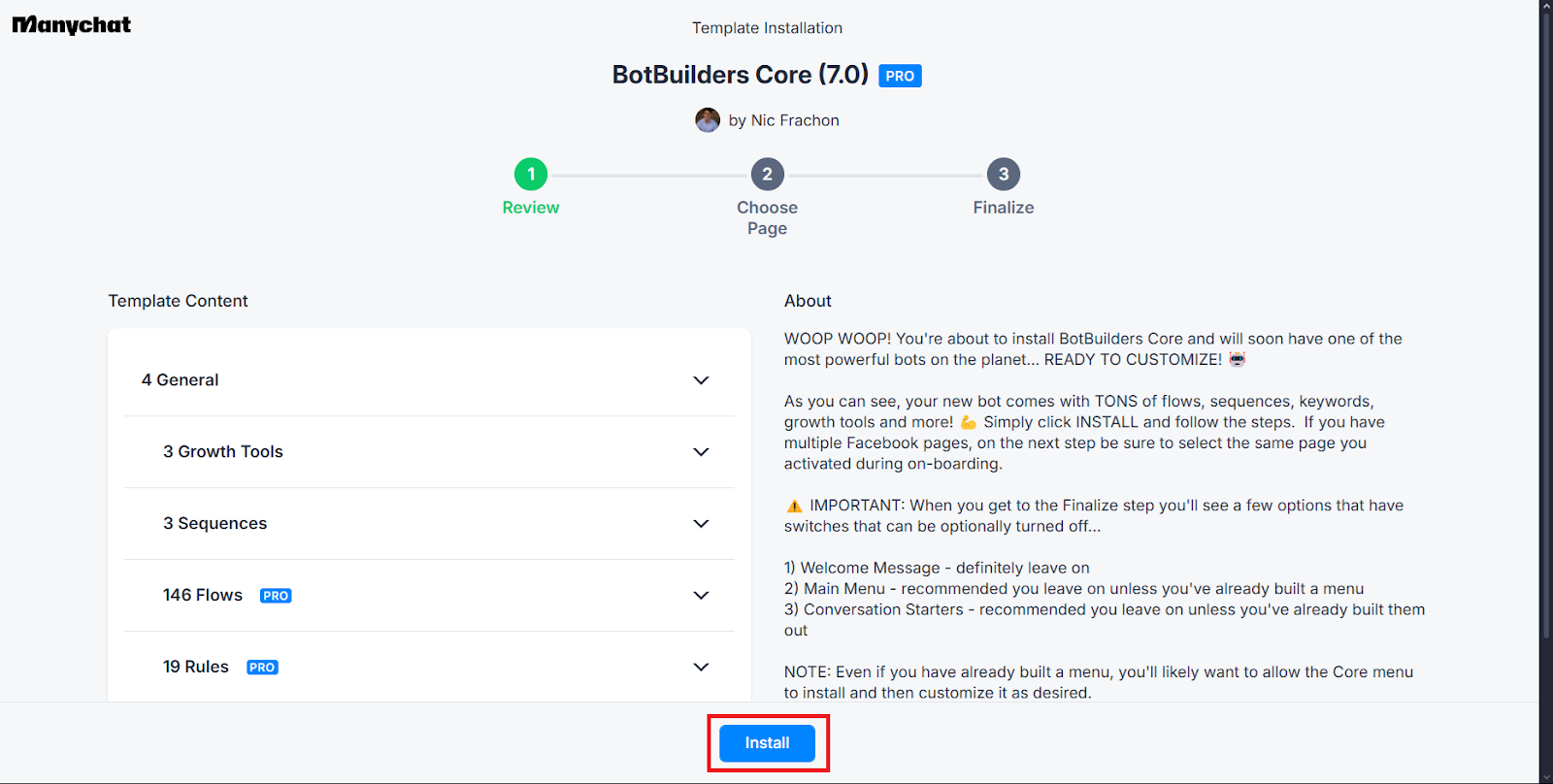
After clicking I’m ready, you can simply click install, then fill in your Bot’s and Business's information after.
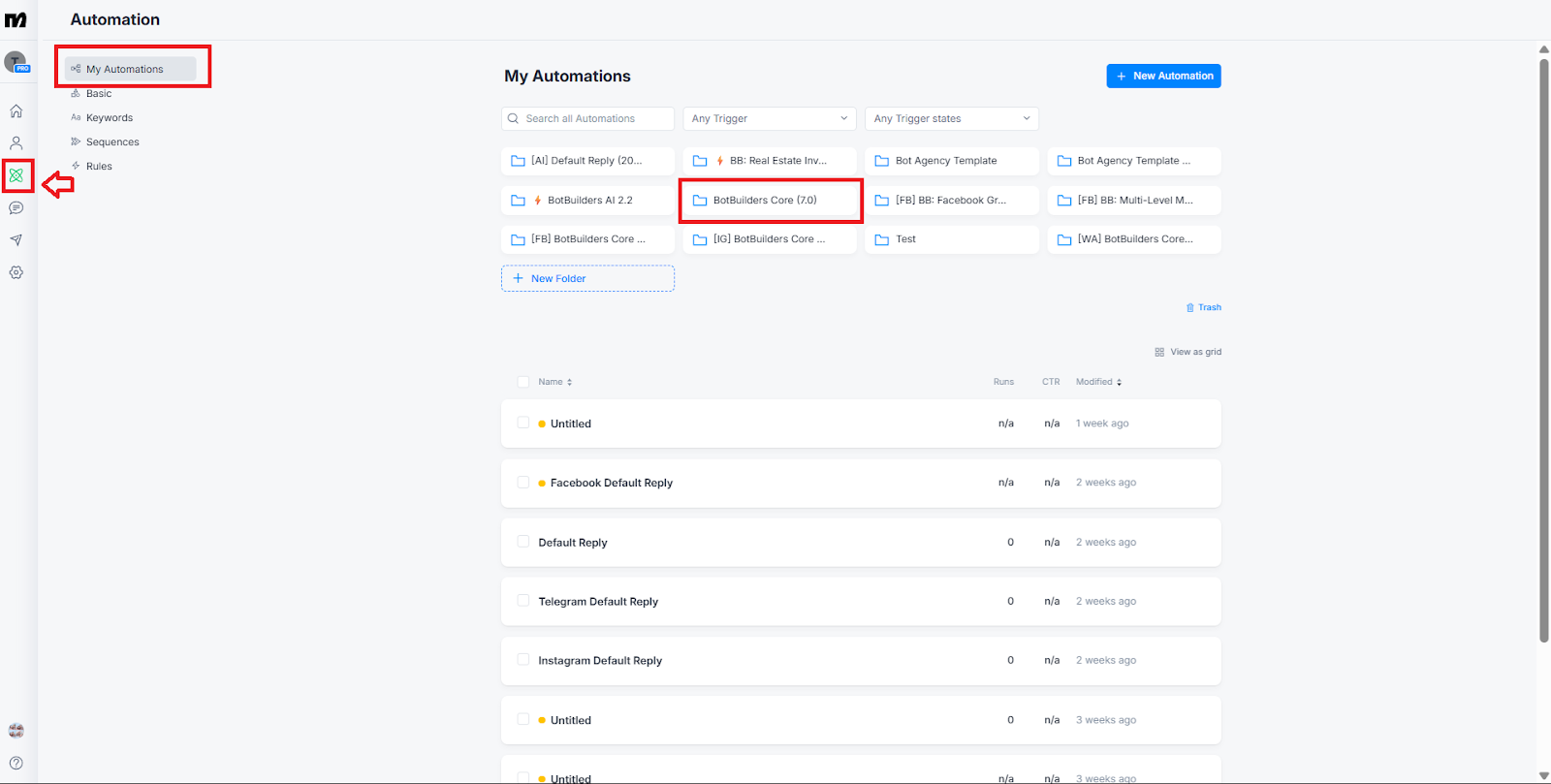
After the installation is complete, you’ll see the BotBuilders Core flows inside your ManyChat Automations.
Downloading AI Template
After installing BotBuilders Core, the BB Development Messenger Bot will also send you a message that will prompt you to download the AI Template. This usually comes after the BB Core download.
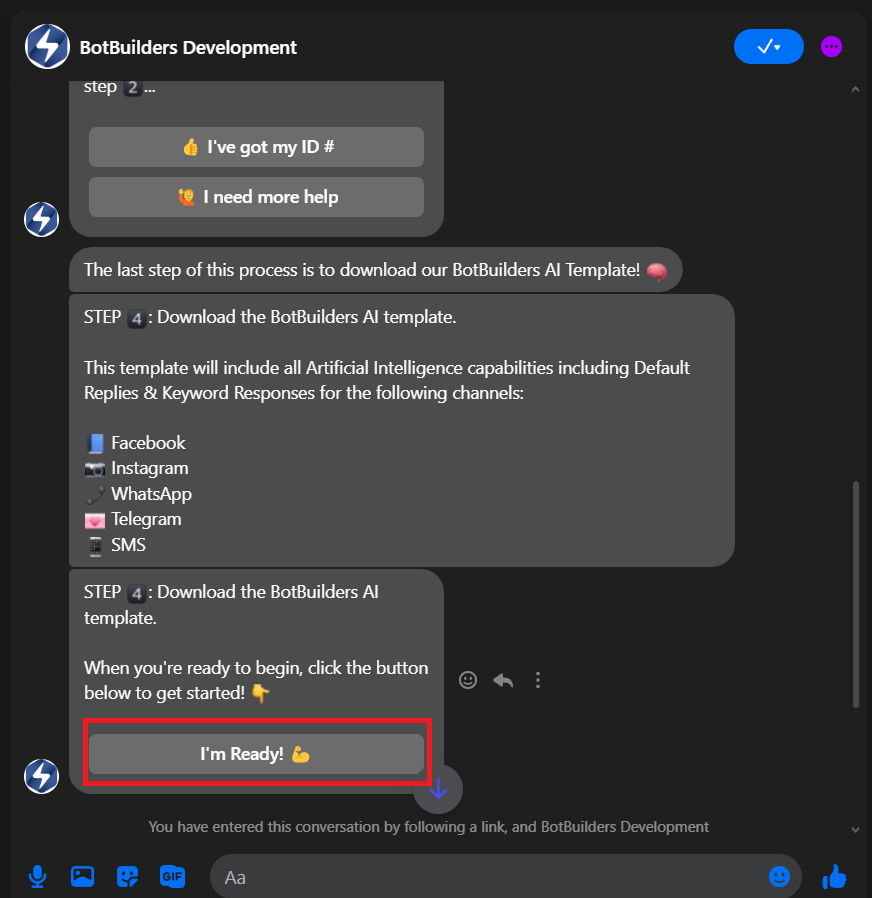
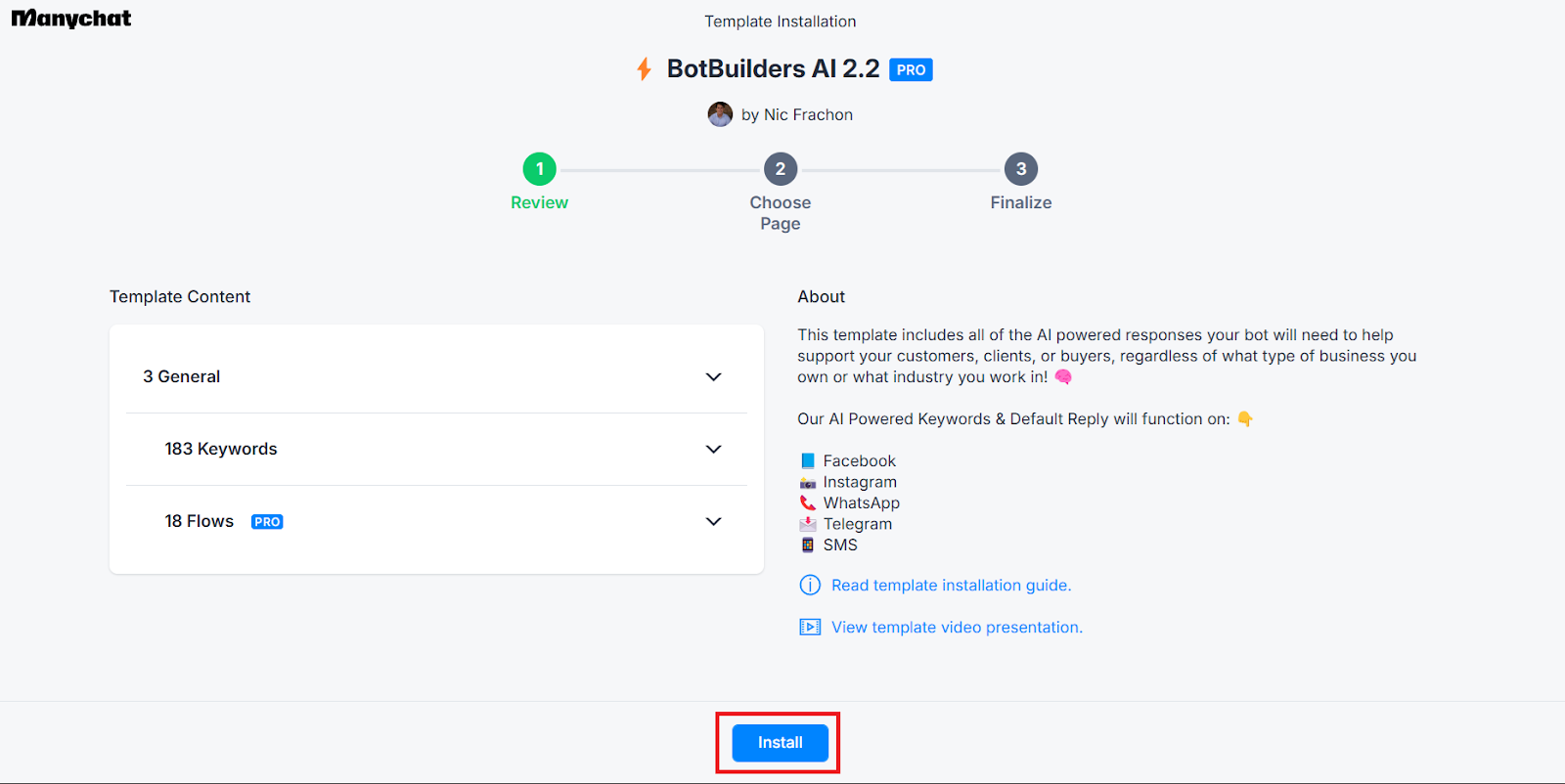
Just follow the prompts inside Messenger, and once you confirm, the AI Template installation will begin. When it’s finished, the AI Template will appear alongside your Core flows in ManyChat Automations.
After Installation - Update Your Bot Fields
Once you have installed both BotBuilders Core and AI Template, it’s important to update your Bot Fields so your chatbot reflects accurate business information.
To update your Bot Fields:
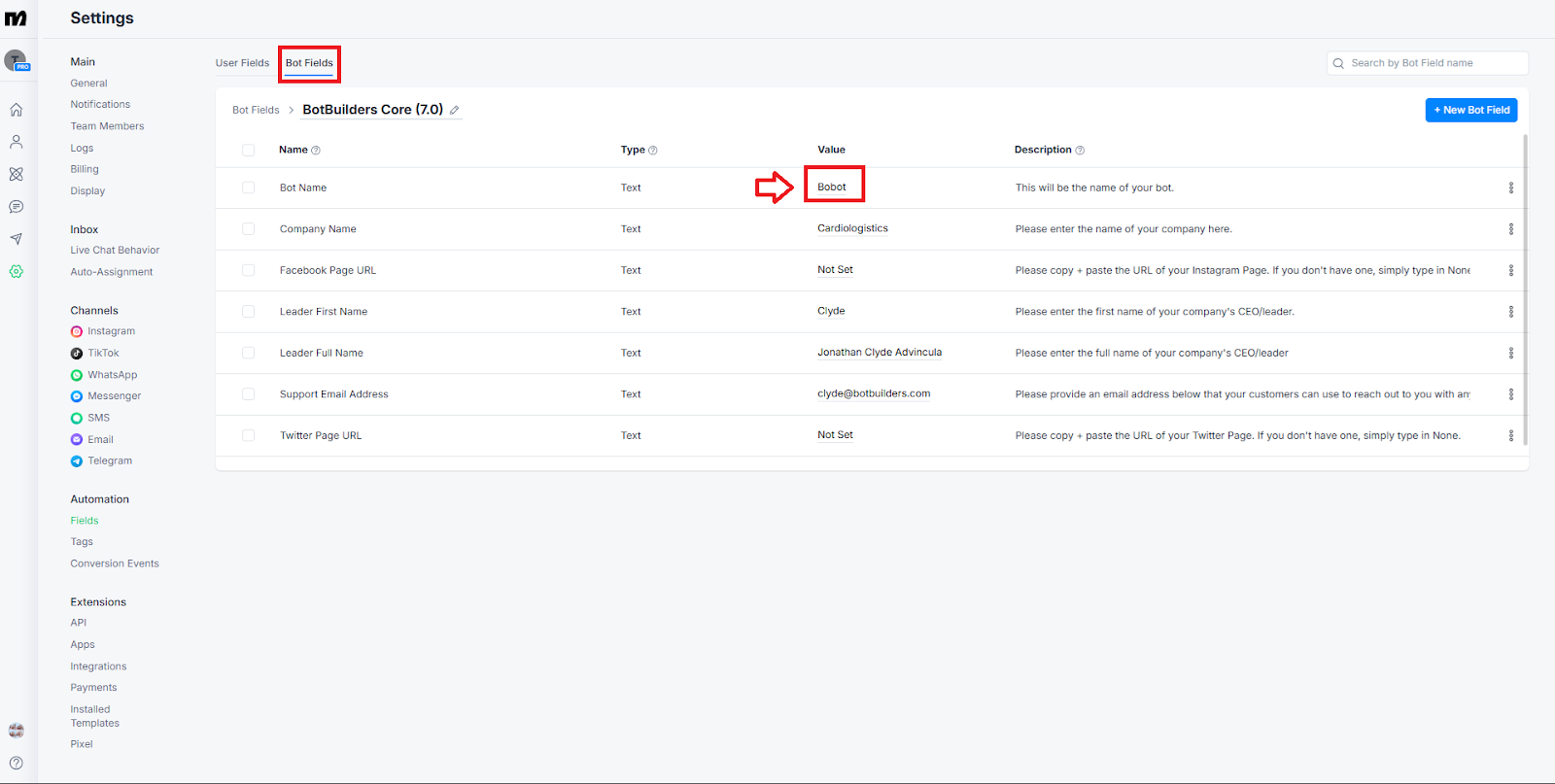
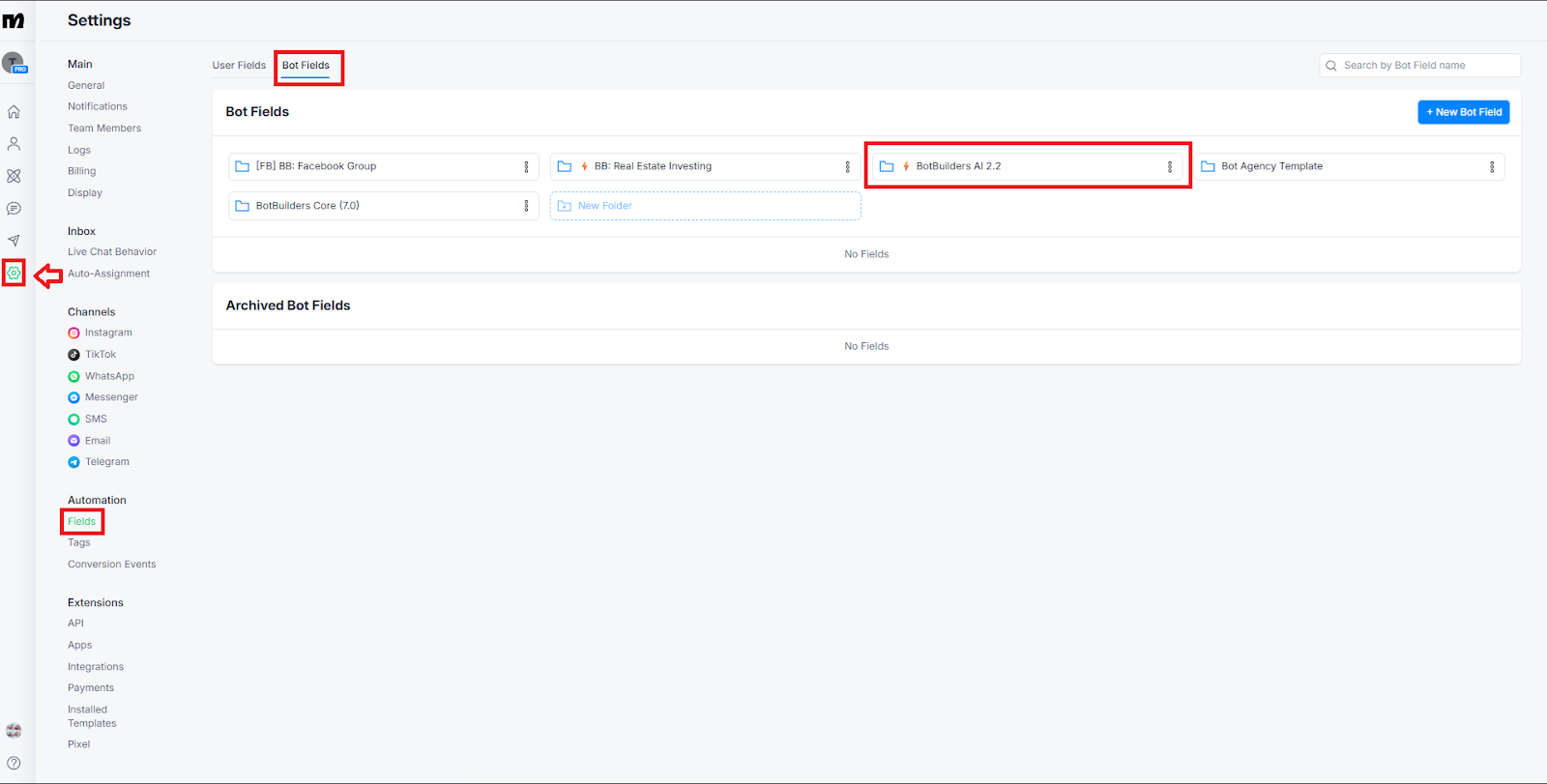
Go to ManyChat Settings → Fields → Bot Fields, from there you can choose which Folder of BotFields you’ll want to edit.
In the Value column, replace placeholders with your actual business details such as your business name, website, phone number, email address, etc.
Important Formatting Rules:
Do not use line breaks (pressing Enter) inside any value field.
Do not use double quotation marks (“ ”), if needed, use single quotes (‘ ’) instead.
These fields automatically populate across all your Core and AI Template flows, saving you from editing each flow manually.
Important Notes
Installation - Both the BotBuilders Core and BotBuilders AI Template can be installed and used on their own, they don’t require each other to function. However, if you plan to use both together, we recommend installing BotBuilders Core first to ensure everything connects smoothly.
Workspace Selection - Make sure you are logged into the correct ManyChat workspace before installation.
Customization - Keeping your Bot Fields accurate ensures a consistent, professional chatbot experience for your audience.
Was this article helpful?
That’s Great!
Thank you for your feedback
Sorry! We couldn't be helpful
Thank you for your feedback
Feedback sent
We appreciate your effort and will try to fix the article